Visual Novel Interface
A downloadable asset pack
Description
Elegant Visual Novel UI Kit
A clean, minimalist interface for visual novels in a calm white-and-purple color palette, designed to keep the focus on your artwork and story rather than the UI itself
Features:
- Clean, modern design with no unnecessary decorative elements
- Rounded dialogue box with soft shadows
- Character name tag in a deep purple tone
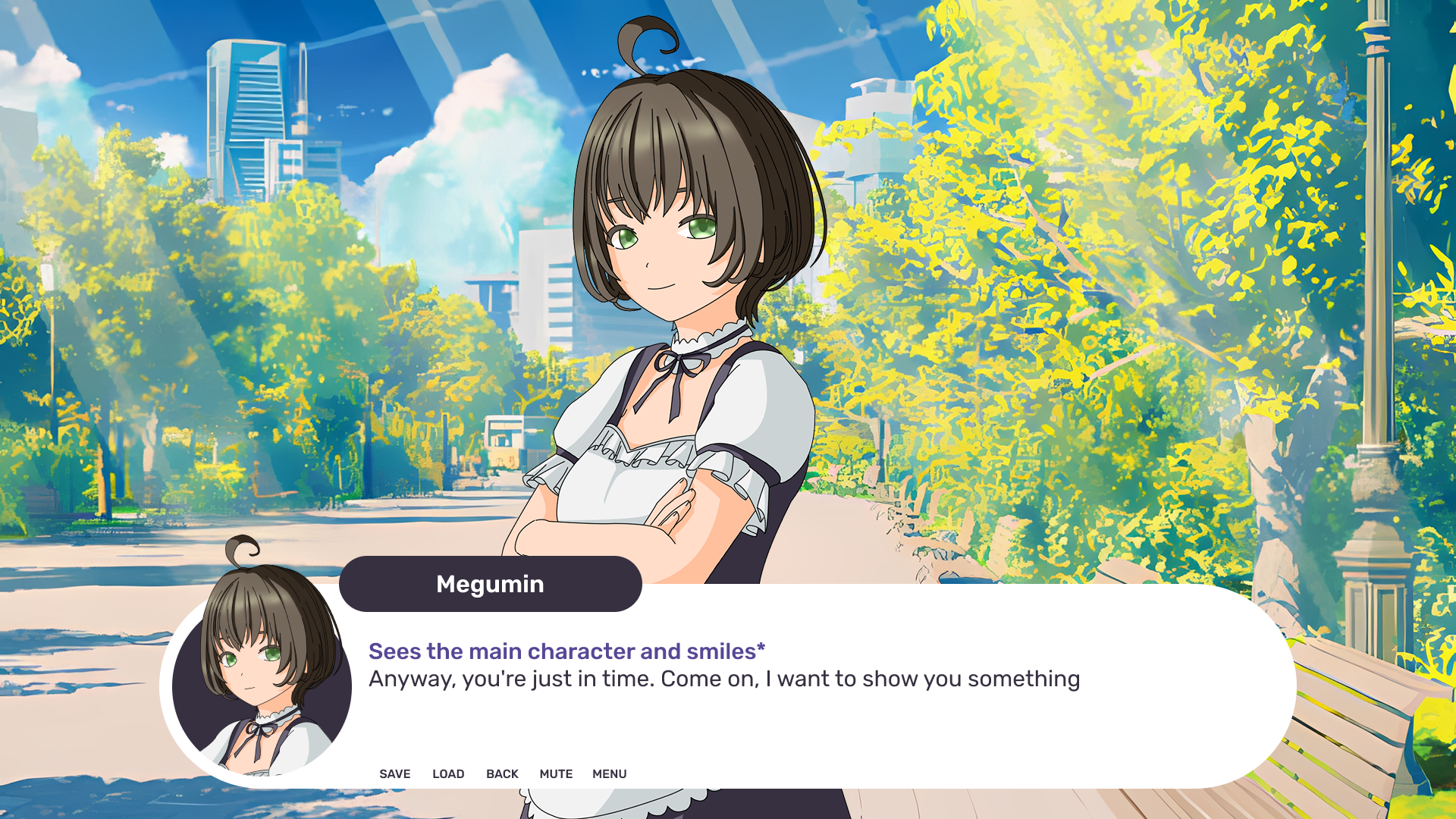
- Distinct styling for action lines (italic, accent purple) versus regular dialogue text
- Circular character avatar integrated into the dialogue box
- Minimalist control bar: Save, Load, Back, Mute, Menu
- Clean sans-serif font - readable and versatile
- Easy to adapt to any color palette or art style
Great for: visual novels, anime-style projects, romance sims, kinetic novels, and any game built in Ren'Py, Unity, Godot, or similar engines
Elements UI
Character Dialogue Box
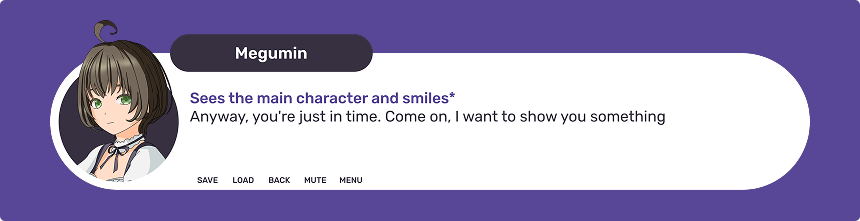
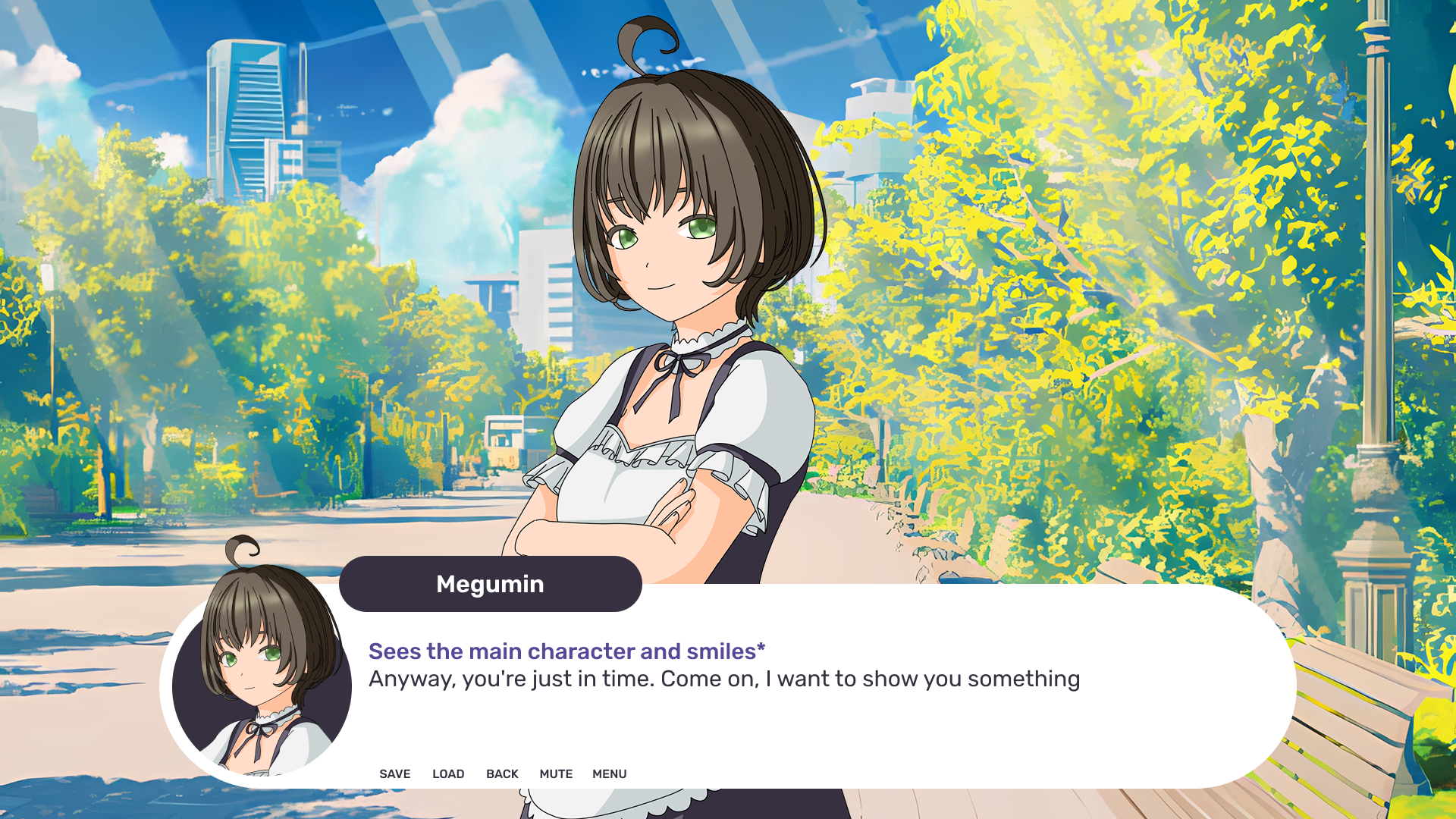
A rounded white panel displaying dialogue text. A name tag sits above it. Action descriptions are shown in italics, regular lines in plain text. A circular character avatar appears on the left. Control buttons - Save, Load, Back, Mute, Menu - are placed below
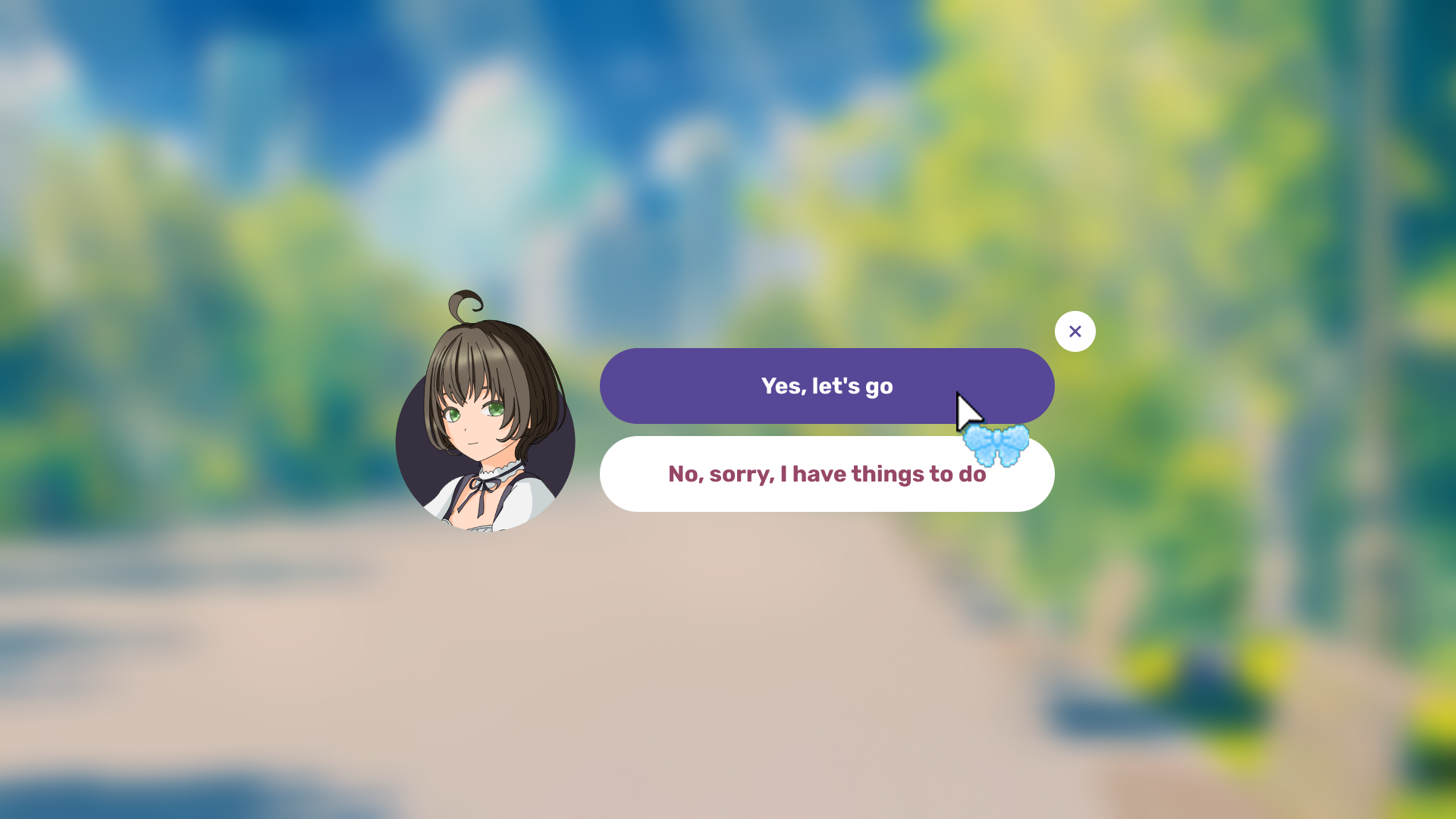
Answer Choice Menu

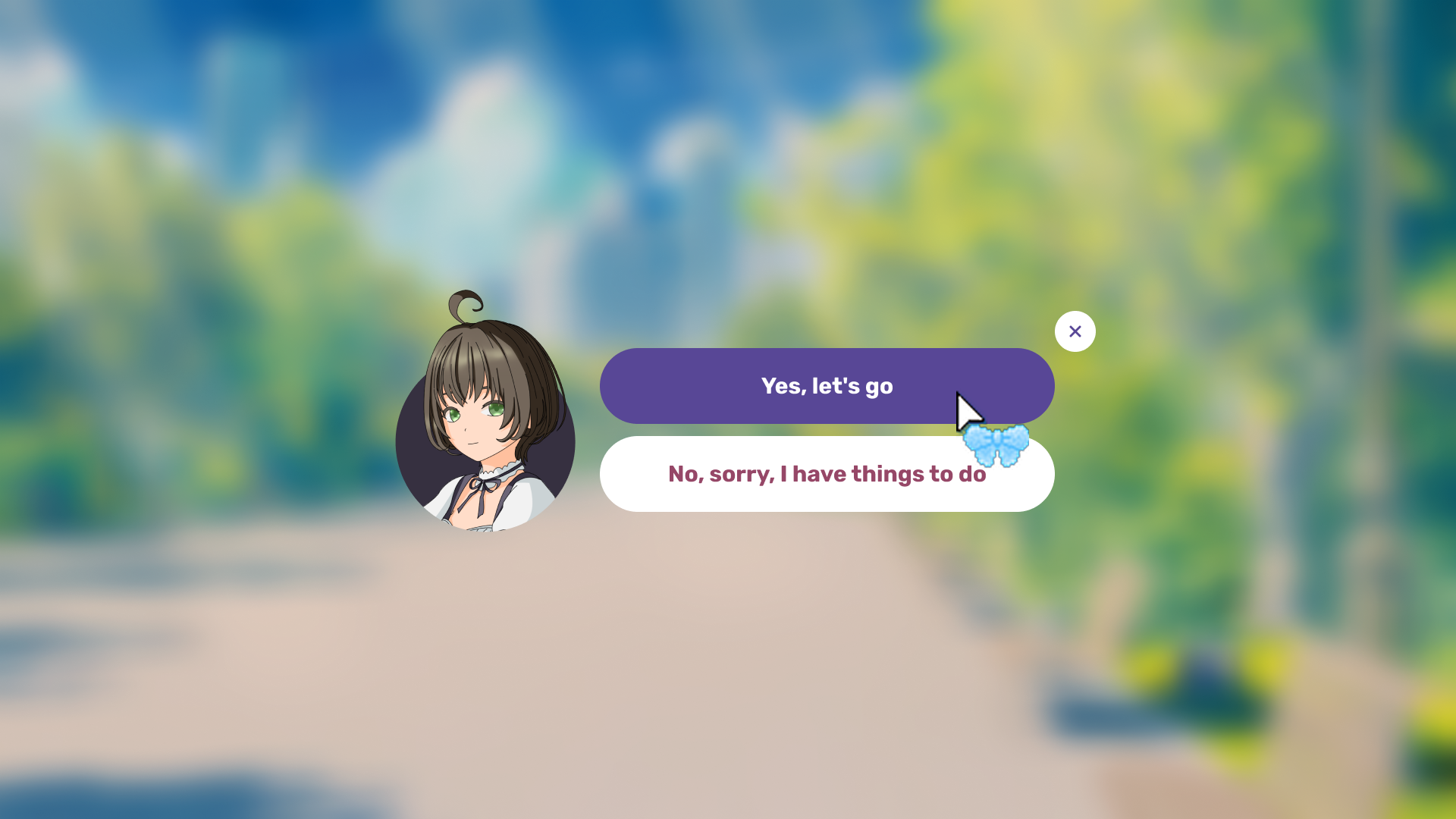
A circular character avatar on the left. Two response options appear as rounded pill-shaped buttons: the highlighted choice has a solid purple background with white text, while the other option has a white background with purple text. A close (×) button sits in the top corner
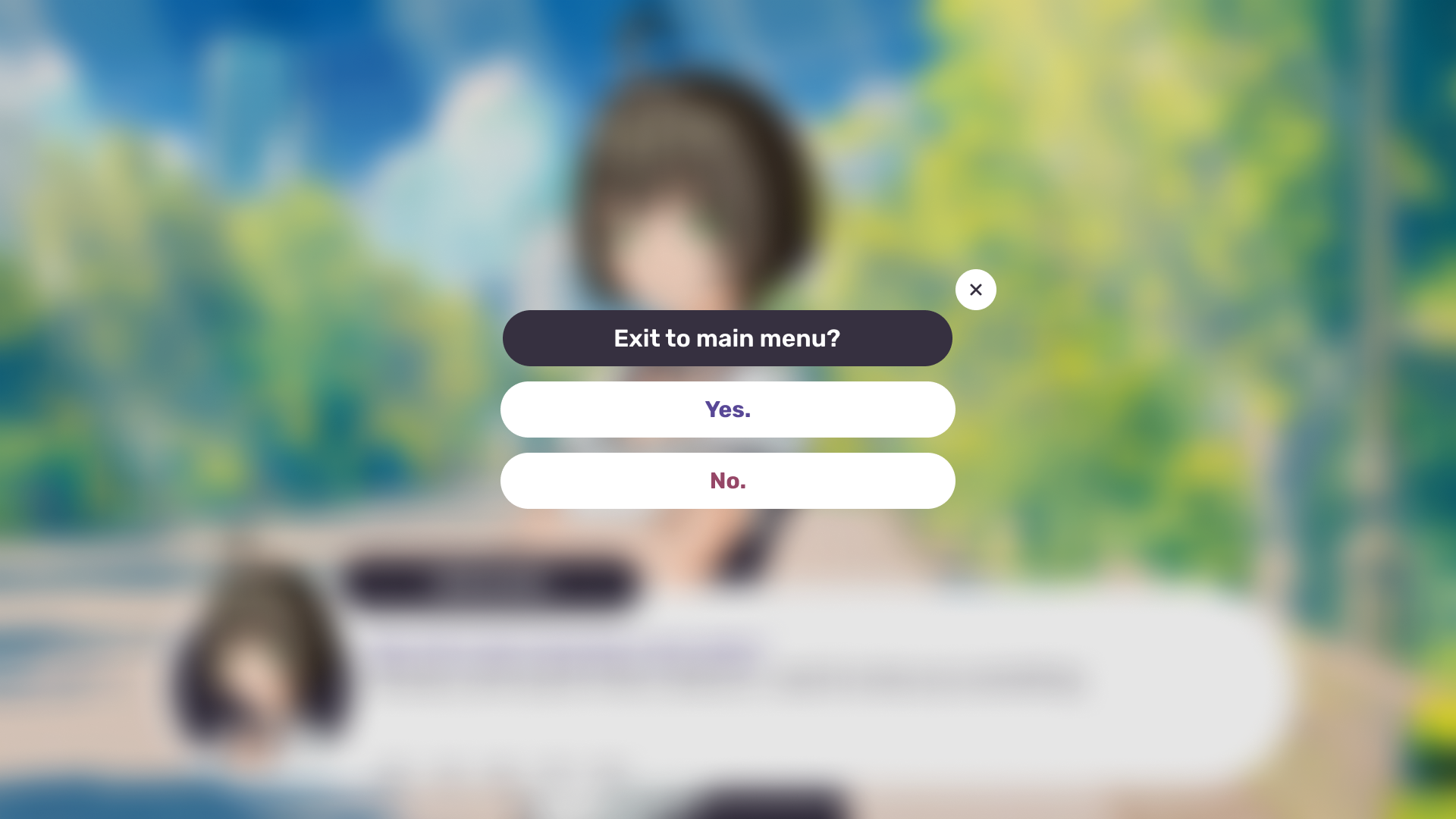
Confirmation Modal Window

A dark bar displays the question ("Exit to main menu?") at the top. Below it are two white rounded pill-shaped buttons: "Yes." (purple text) and "No." (maroon text). A close (×) button sits in the top corner. The background is blurred/dimmed to keep focus on the modal
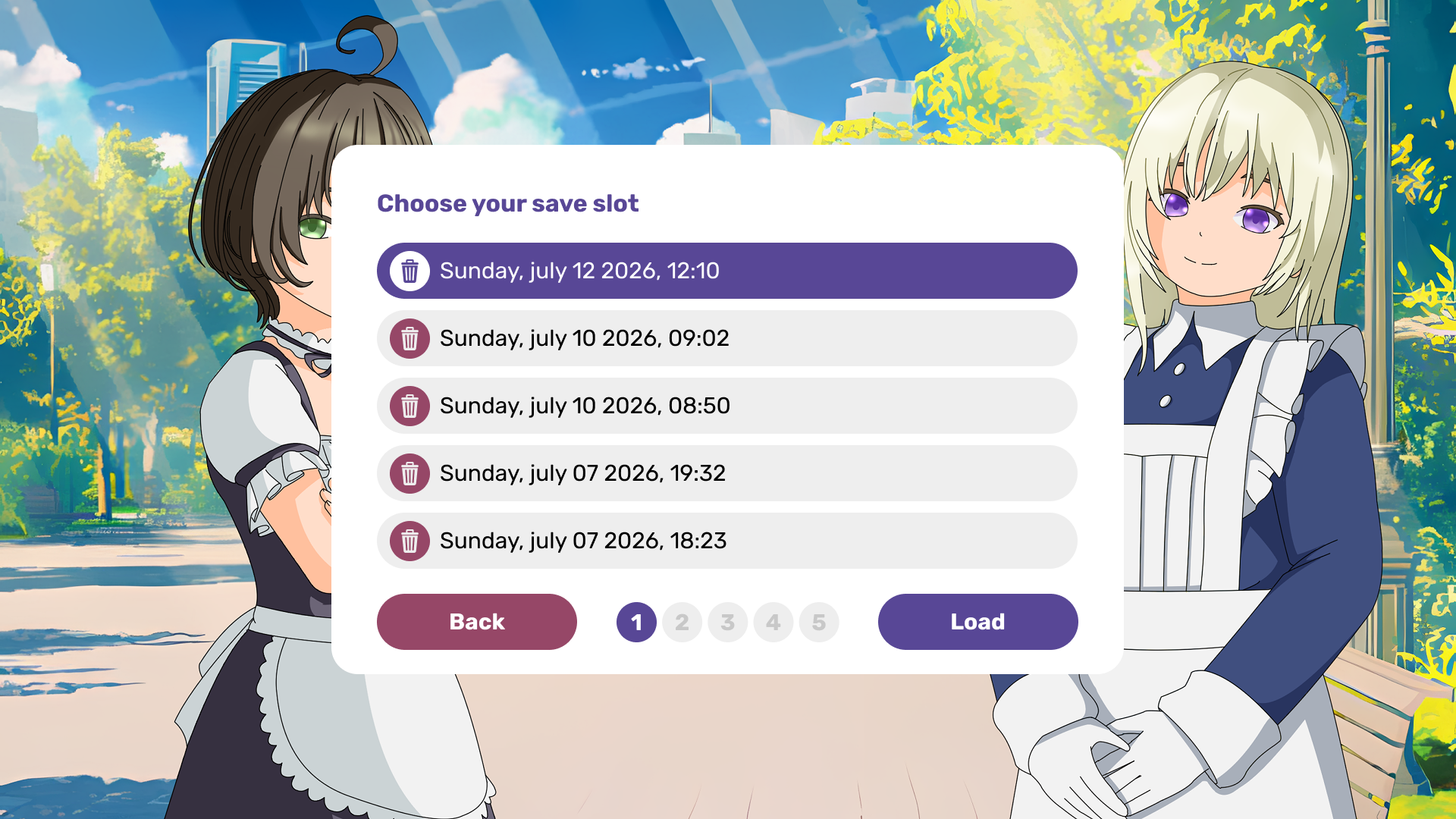
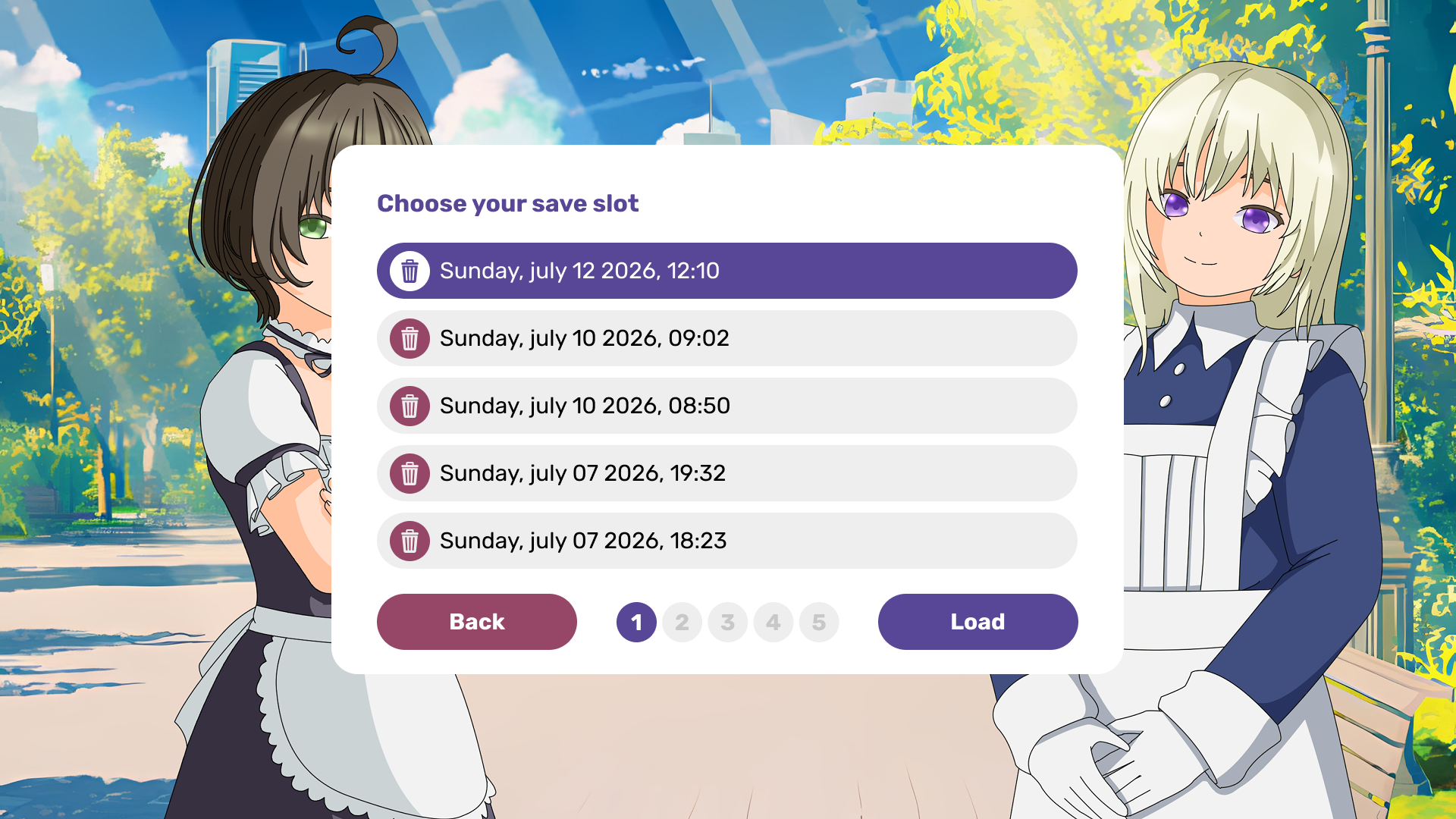
Save Slot Selection Menu
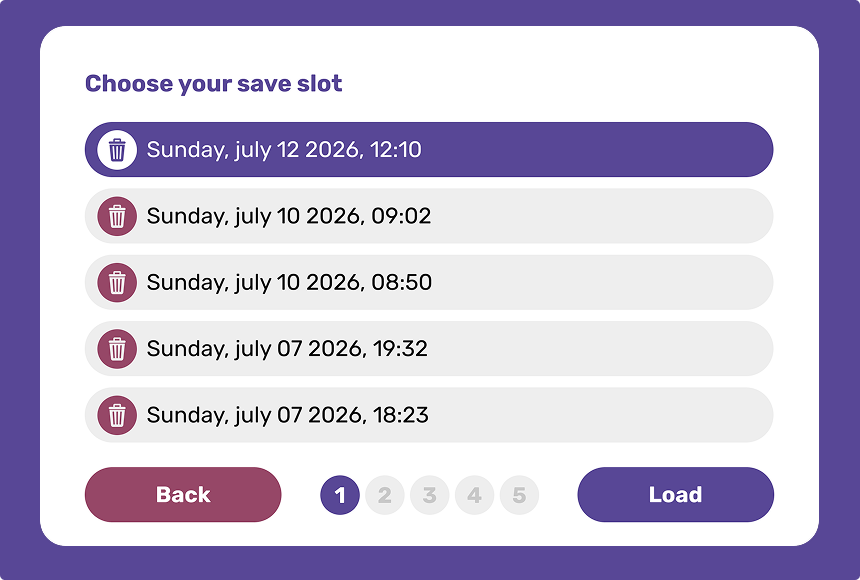
A white panel with a purple border, titled "Choose your save slot." Save slots are listed as rounded bars showing date and time; the selected slot has a solid purple background with white text, while others have a light gray background with black text. Each row includes a round delete button (trash icon) on the left - maroon for unselected slots, white with a purple icon for the selected one. At the bottom are page navigation dots and two buttons: "Back" (maroon) and "Load" (purple)
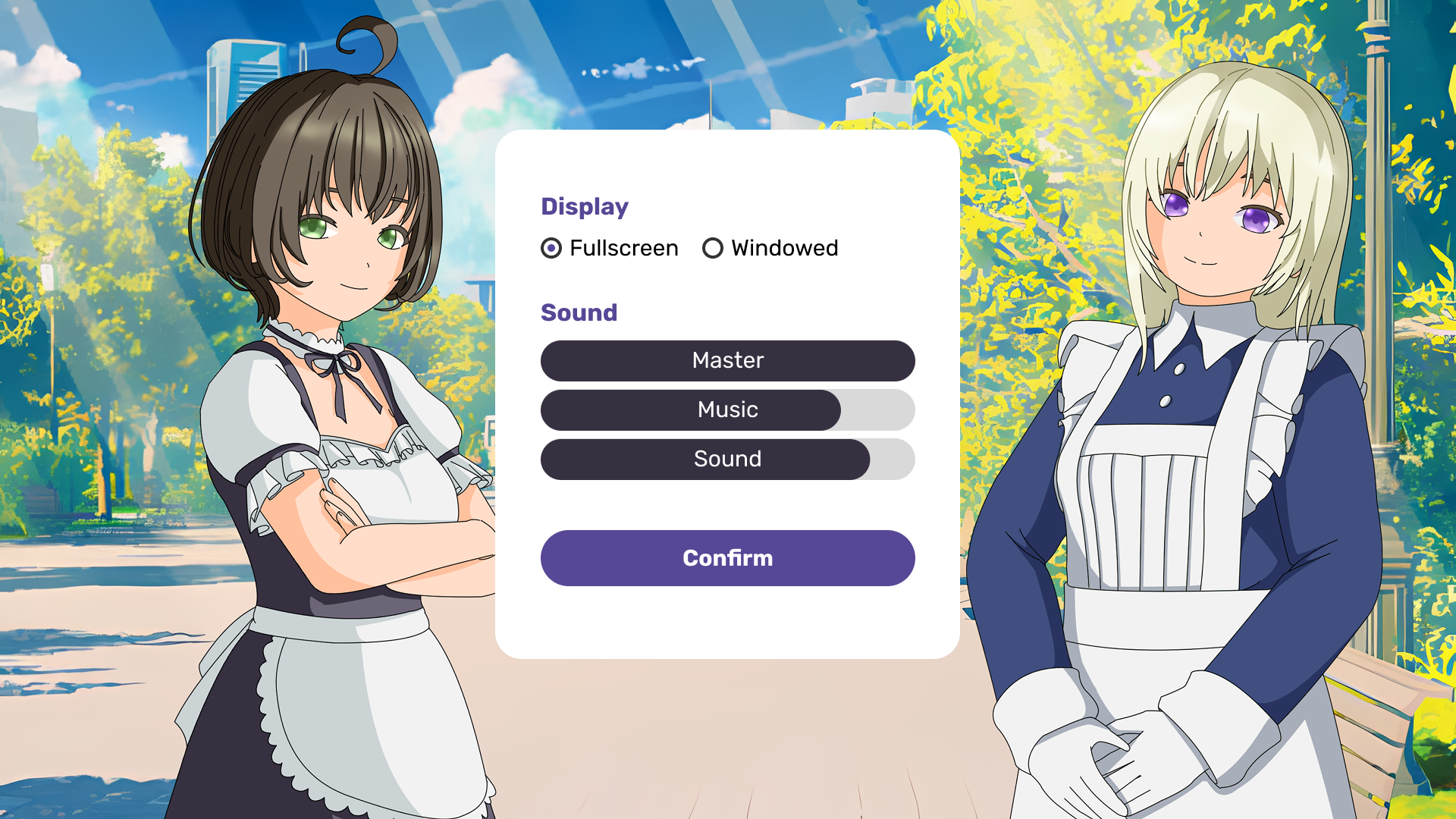
Settings Menu
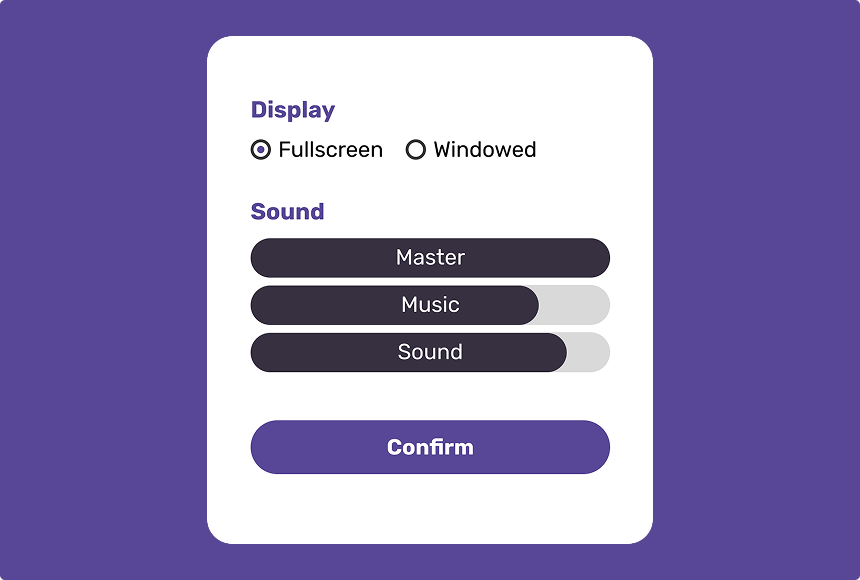
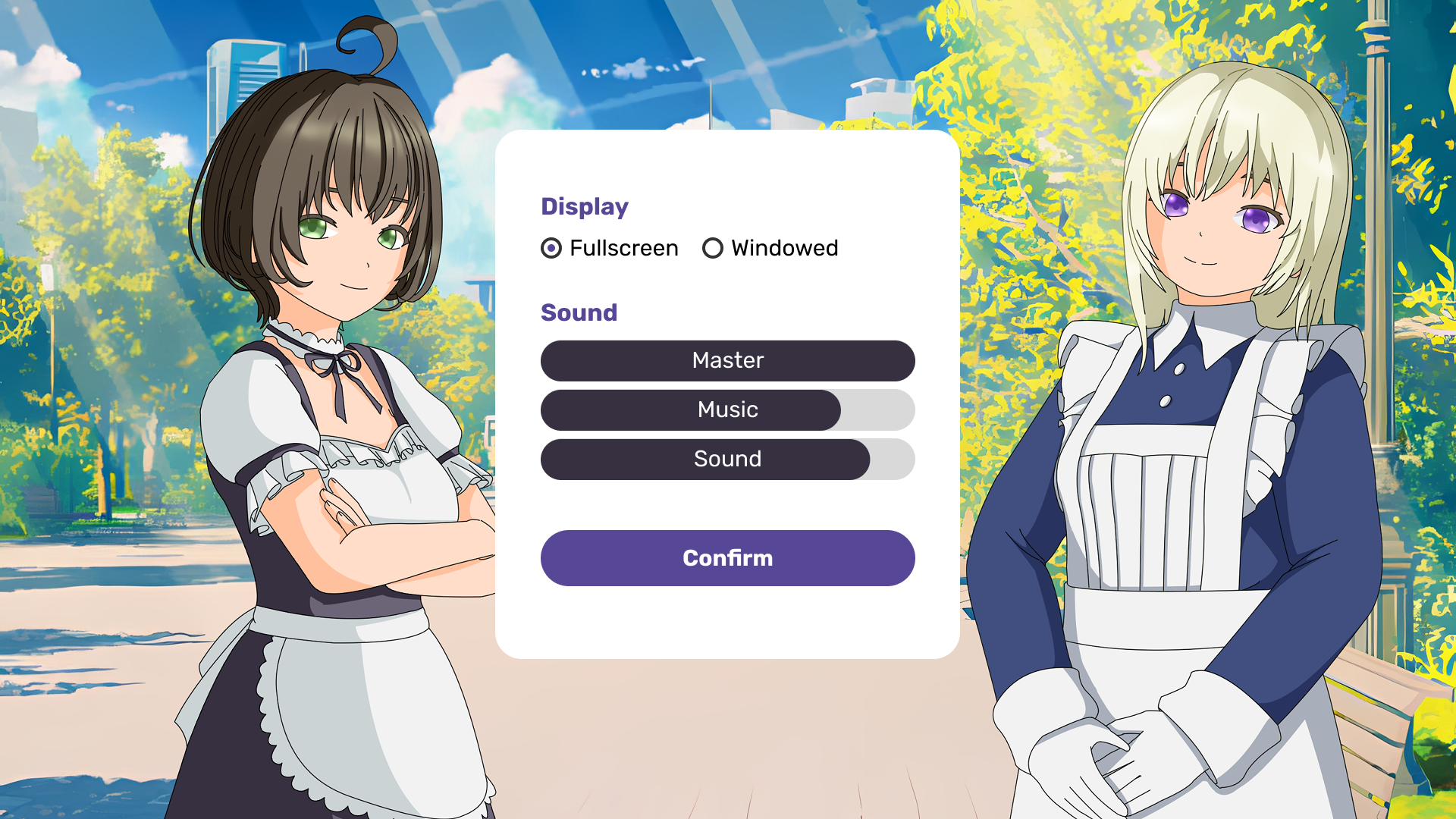
A "Display" section with radio buttons for "Fullscreen" / "Windowed" mode. A "Sound" section with three volume sliders ("Master", "Music", "Sound") shown as dark rounded bars with fill levels. A purple "Confirm" button sits at the bottom
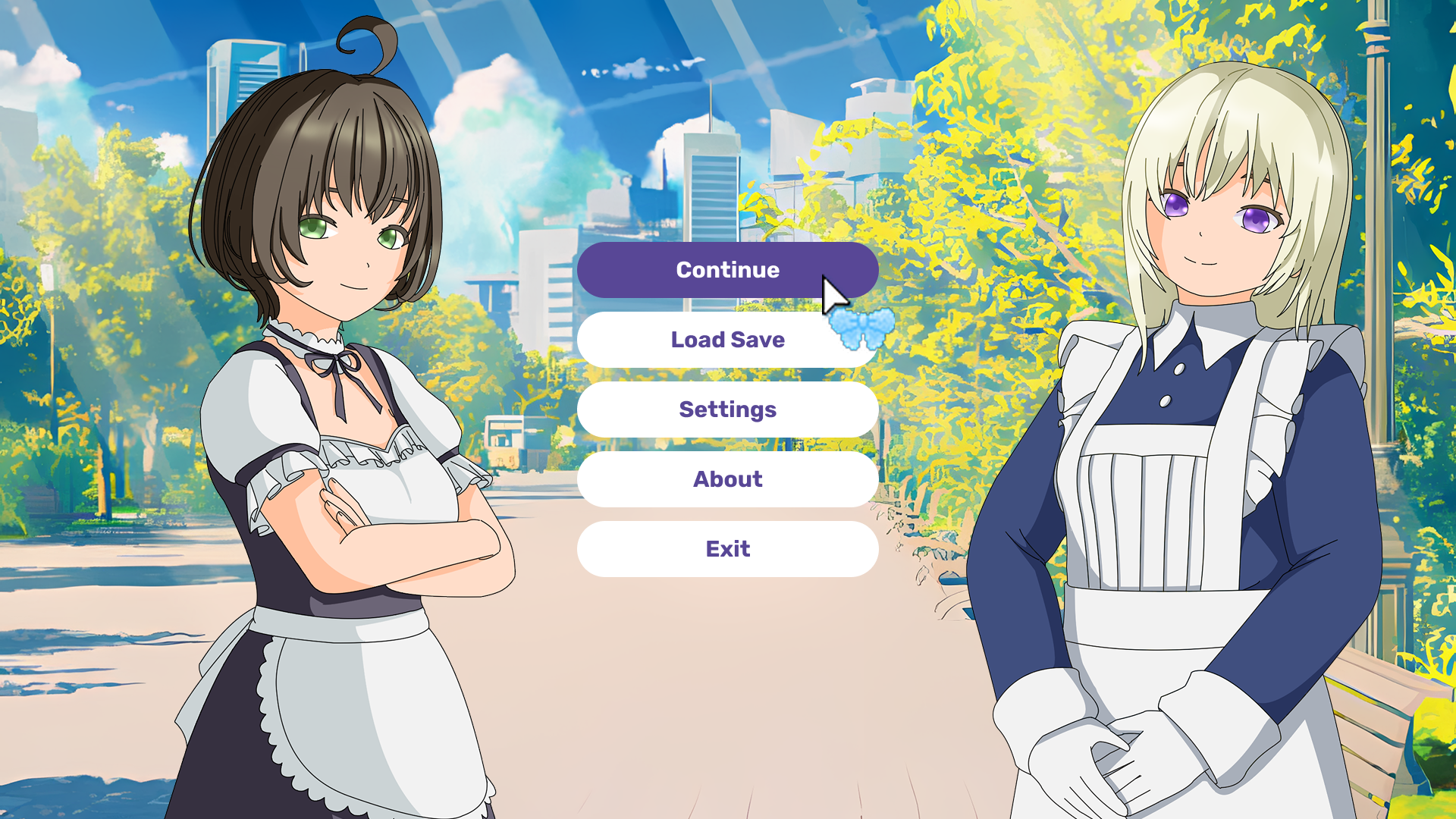
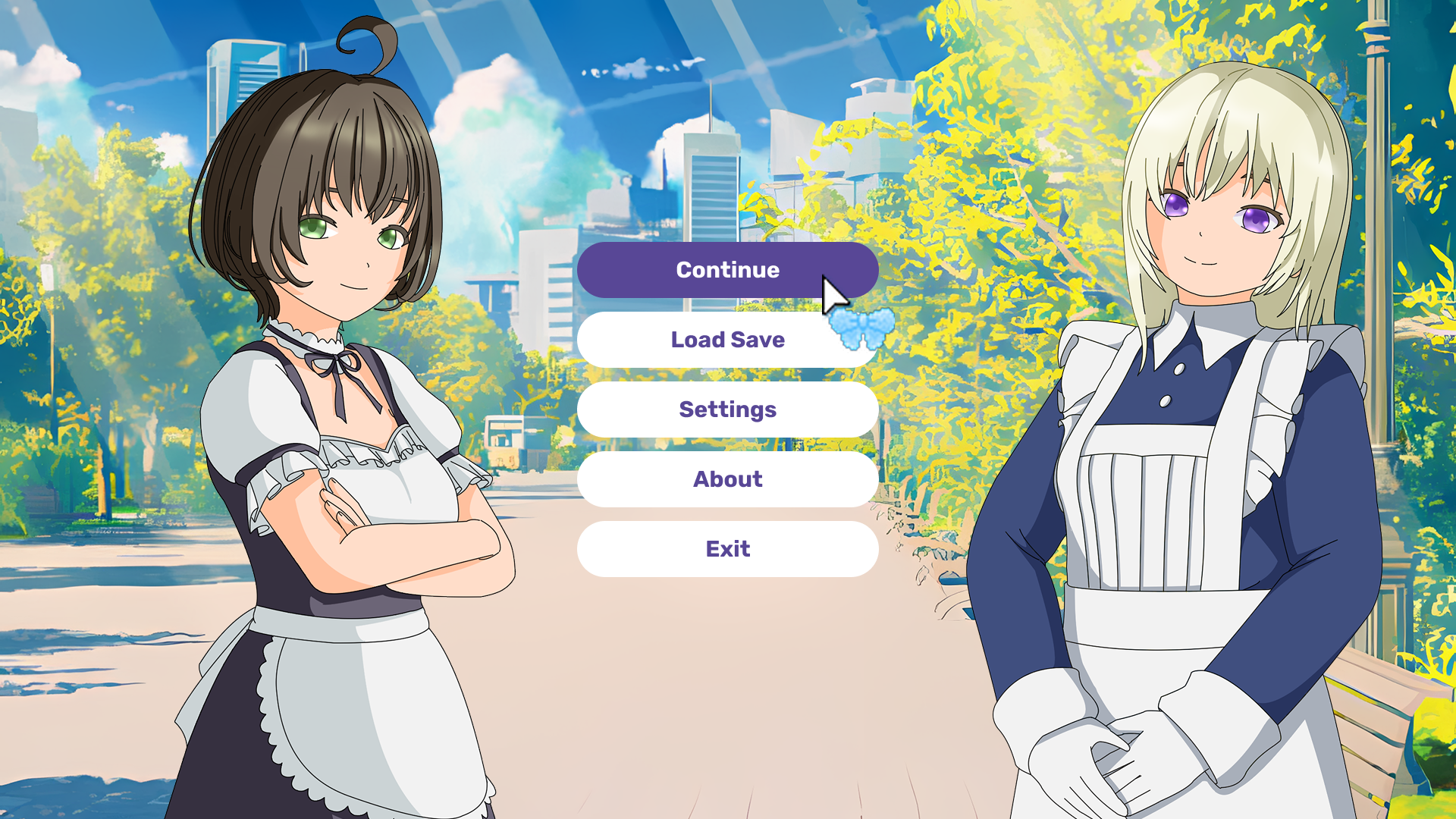
Main Menu
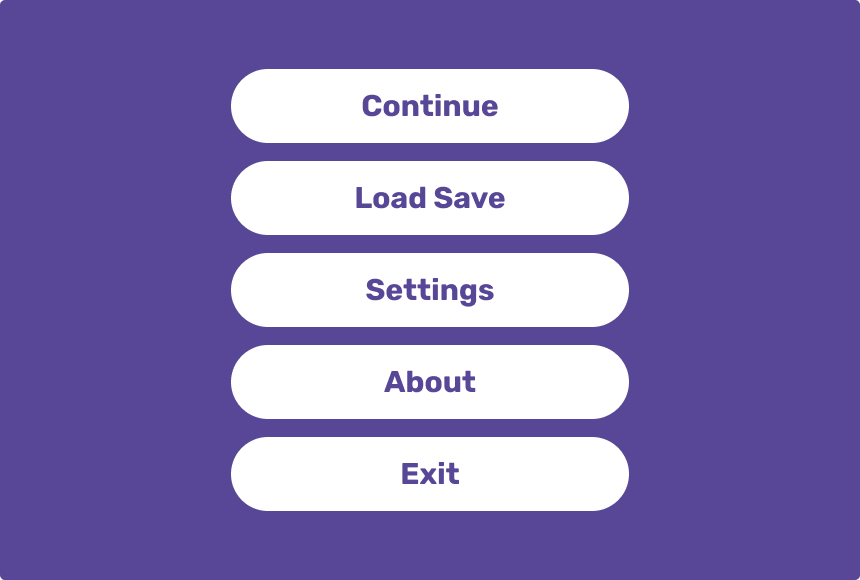
Five white rounded pill-shaped buttons with purple text on a solid purple background: "Continue", "Load Save", "Settings", "About", "Exit"
Fonts
The interface uses Rubik as its primary font - a modern sans-serif with soft, rounded letterforms that complement the overall UI style
- Weights: Regular (body text, dialogue) and Bold (headings, character names, buttons)
- Sizes:
- 32px — large headings (e.g. "Choose your save slot", "Exit to main menu?")
- 30px — main text (dialogue, buttons, menu items)
- 12px — secondary elements (labels, small UI text)
License and rights

The characters shown on the cover and in the screenshots are not included in this asset. They are used solely for demonstration purposes, to show how the interface looks when paired with character artwork. All rights to the character artwork belong to their original author. The price of this asset does not include the characters - this is an interface asset only
Main screenshots
After Purchase
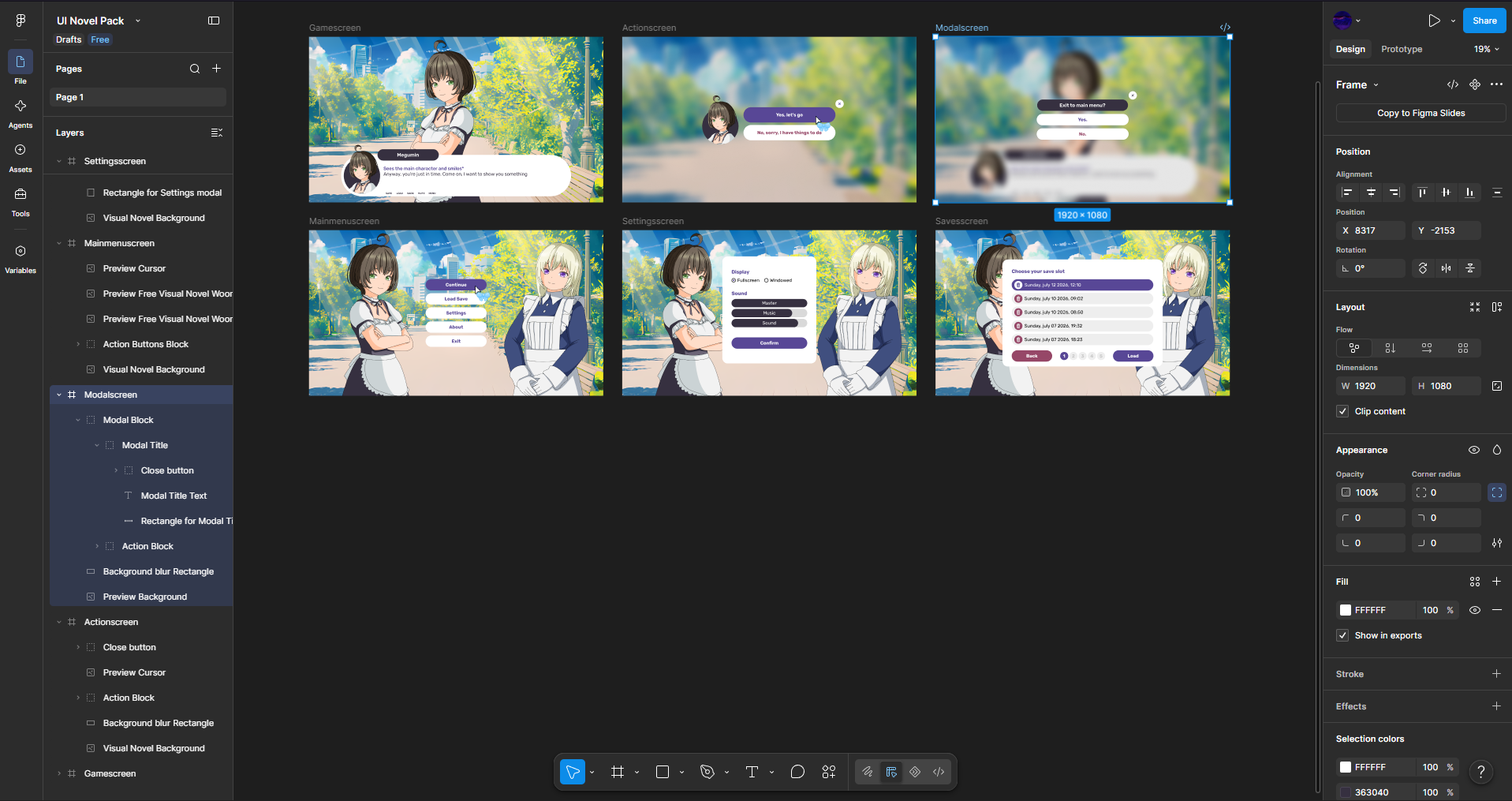
You will receive a local Figma file that can be opened on the official Figma website or in any other compatible program, such as Pixso and others. From there, you can easily export the interface elements you need, customize them to fit your project, change colors, check the fonts used, and more
Purchase
In order to download this asset pack you must purchase it at or above the minimum price of $2.99 USD. You will get access to the following files:
Leave a comment
Log in with itch.io to leave a comment.