Keyboard Overlay Studio
A downloadable tool for Windows
Keyboard Overlay Studio is a professional software solution engineered for displaying real-time, highly customizable keyboard input overlays directly on top of screen content. Designed for game streamers, content creators, speedrunners, tutors, and competitive players, it renders sleek, layout-independent visual keypress feedback with zero performance impact.
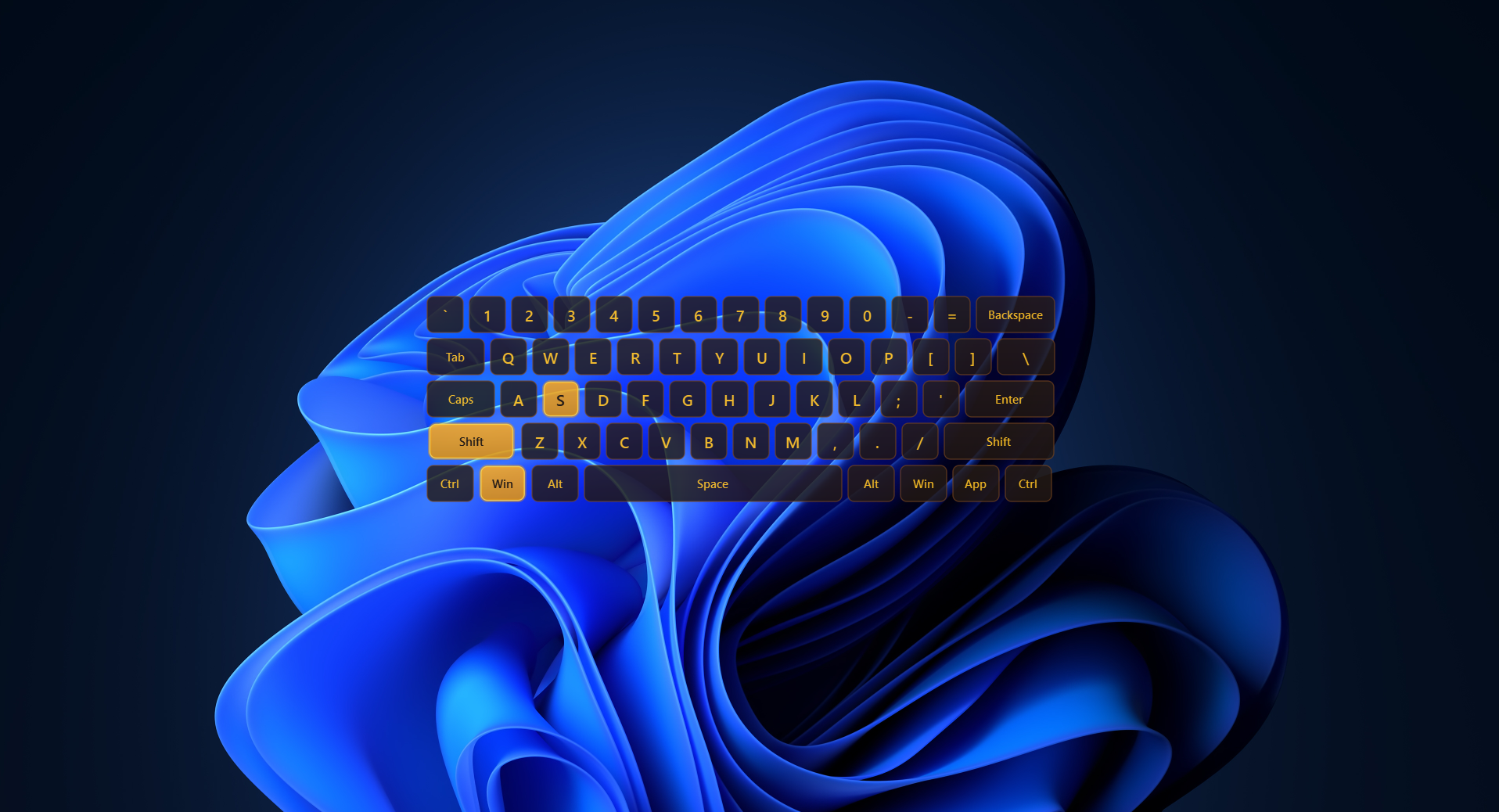
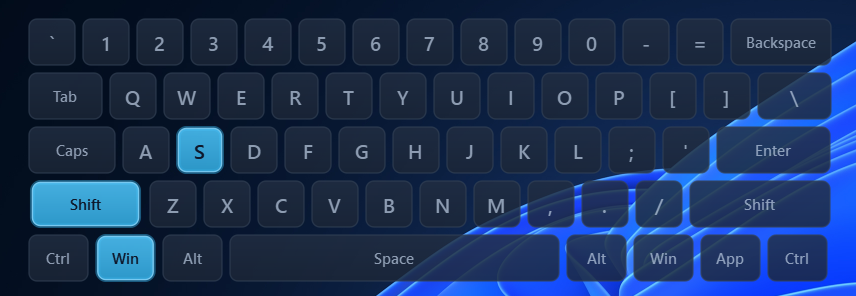
Transform standard desktop input into a stylish HUD element — ranging from minimalist WASD combat clusters to full 60% mechanical keyboard visualizations with dynamic press glow effects.
Key Advantages
- Hardware-Accelerated Vector Graphics: Ultra-smooth vector keycaps with smooth decay animations, sub-pixel antialiasing, and sub-frame response times running with near-zero CPU/GPU overhead.
- Layout-Independent Input Engine: Global low-level hook captures physical key positions using virtual key codes (VK) regardless of active OS language settings (QWERTY, AZERTY, Cyrillic, etc.).
- In-Depth Aesthetic Personalization: Full control over key sizes, spacing, corner rounding, window transparency, and 9 curated high-contrast color themes.
- Native Win32 Click-Through HUD: Hardware-level overlay pass-through integration (
WS_EX_TRANSPARENT) letting all mouse clicks pass directly through to games without stealing focus. - Presets & Custom Layout System: Switch instantly between built-in gaming layouts (60%, WASD, MOBA) or craft, save, rename, and export custom JSON preset profiles.
- Background System Tray Operation: Minimizes cleanly to the system tray with a dynamically rendered tray icon and quick context menu controls.
Detailed Feature & Settings Breakdown
1. Input Engine & Key Detection (Core Engine)
Engineered for instantaneous response and universal key mapping across all software environments:
- Low-Level Global Listener: Asynchronous background thread executing global low-level hooks (
pynputarchitecture) for keypress and release events without input lag. - Layout-Independent Key Detection: Translates raw Virtual Key codes (VK) into physical visual keycaps, maintaining absolute key position consistency regardless of active system language or layout switches.
- Comprehensive Key Support: Native mapping for modifier keys (Left/Right Shift, Ctrl, Alt, Win/Cmd), standard alphanumeric keys, spacebar, enter, tab, backspace, caps lock, and symbol keys.
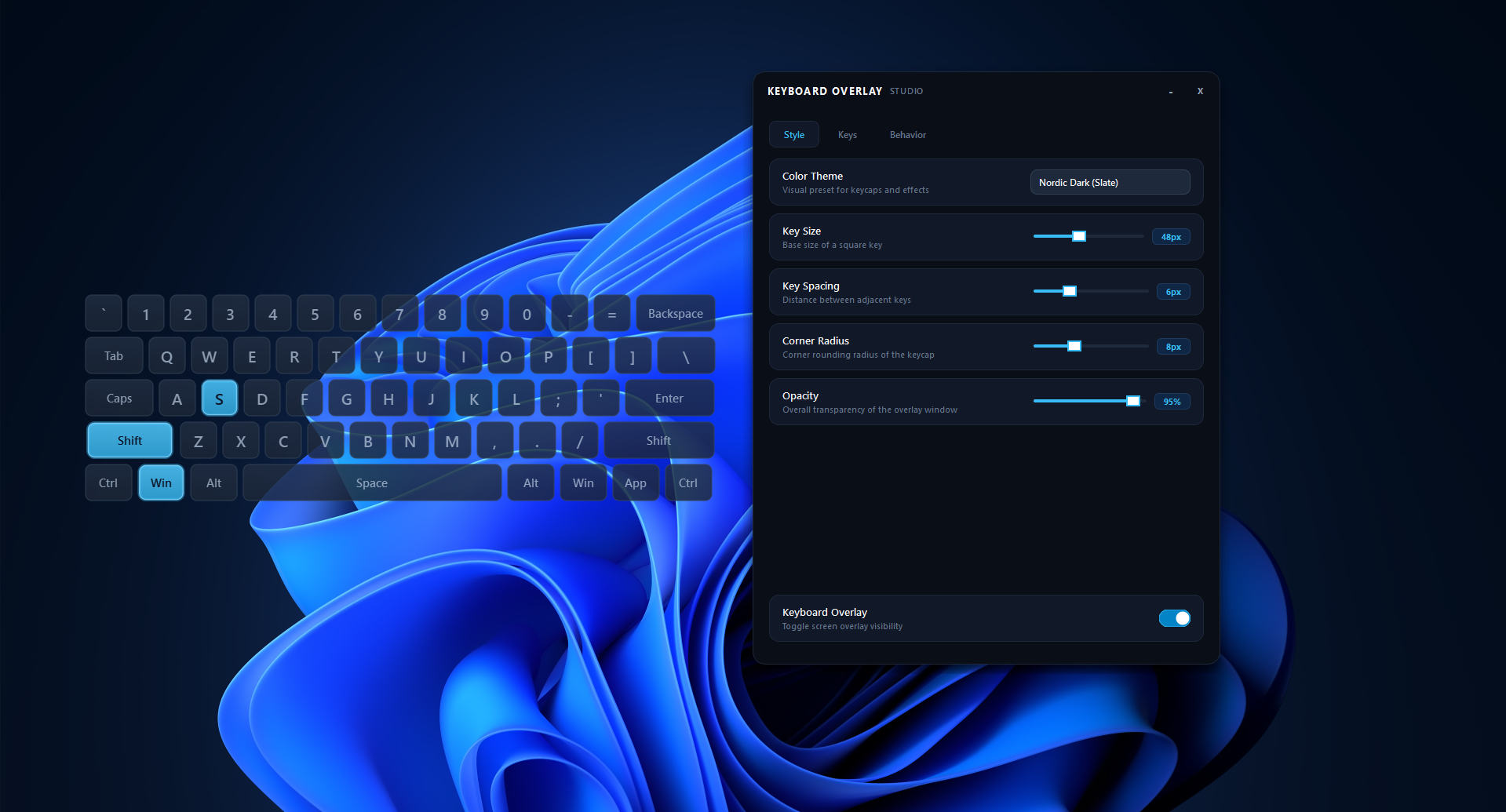
2. Styling, Visual Effects & Themes (Style)
Complete design control to complement stream overlays, game aesthetics, or desktop themes:
- 9 Curated Color Themes:
- Nordic Dark (Slate) — Deep slate background with sky-blue active highlights.
- Obsidian Crimson — Dark zinc contrast paired with sharp crimson active glow.
- Emerald Stealth — Low-profile dark green with vibrant mint highlights.
- Tokyo Violet — Deep indigo aesthetics with neon purple accent lighting.
- Minimal Light — Clean light-slate layout designed for daylight broadcasts.
- Cyberpunk Neon — High-contrast dark void paired with electric yellow and pink borders.
- Sunset Gold — Warm espresso tones with rich amber glow effects.
- Dracula Synth — Retro dark palette with bright pink active key caps.
- Monochrome OLED — Pure high-contrast black and solid white keycaps.
- Dynamic Key Geometry & Dimensional Controls:
- Key Size: Scale base key unit width/height continuously from
32 pxto72 px. - Key Spacing: Fine-tune physical spacing between keycaps from
2 pxto16 px. - Corner Radius: Adjust keycap edge rounding from sharp corners (
2 px) to smooth pill-style edges (20 px). - Overlay Transparency: Scale overall window opacity from
20%(subtle watermark) to100%(fully solid).
- Key Size: Scale base key unit width/height continuously from
- Interactive Animation Engine: Keypresses feature dynamic linear gradient fills, micro-scale press transitions, and subtle radial glow effects on active keys.
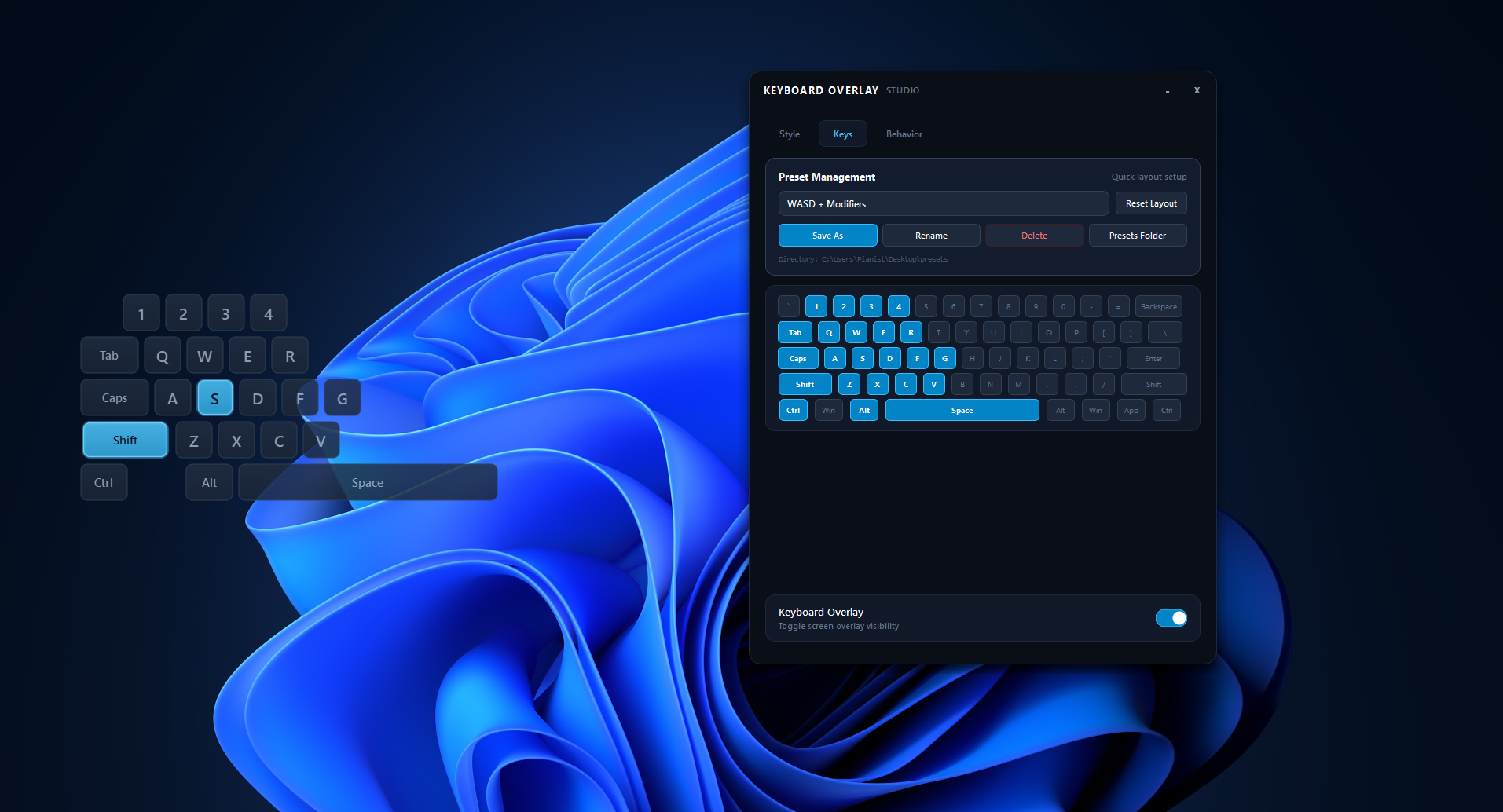
3. Key Layout Engine & Presets (Keys)
Tailor the visible overlay layout precisely to the game or workflow:
- Pre-Loaded Layout Profiles:
- All Keys (60%): Full visualization of a standard 60% compact mechanical keyboard layout.
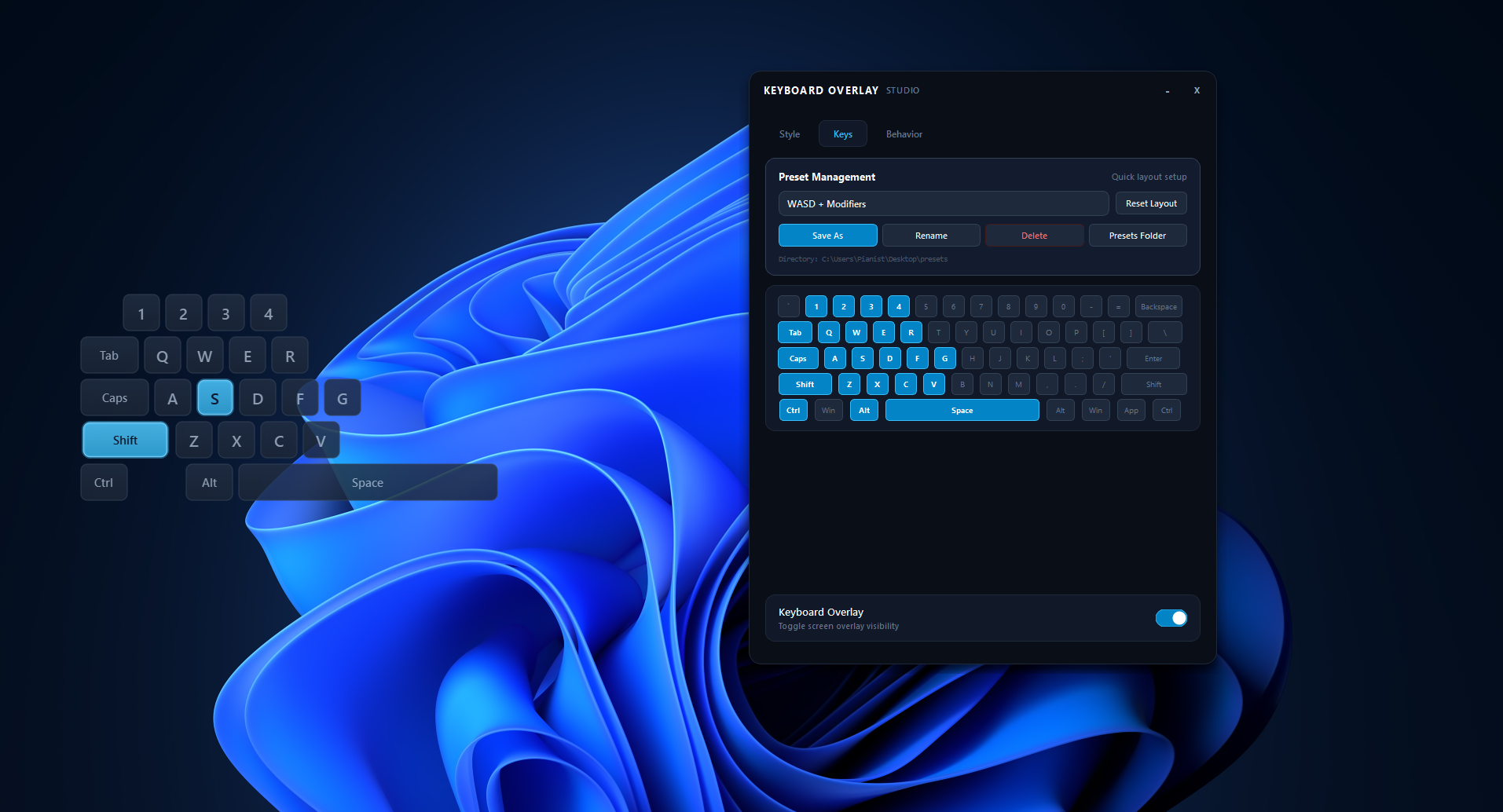
- WASD + Modifiers: Specialized first-person shooter cluster highlighting movement, numbers, actions, and modifiers.
- MOBA / RTS: Ability-focused layout centered on QWER, DF, number slots, and modifiers.
- Letters Only: Alphanumeric key display filtering out modifier and functional keys.
- Digits Only: Clean row visualization for numerical inputs.
- Interactive Preview Selector: In-app visual keyboard matrix allowing users to click individual keys to enable or hide them from the overlay HUD.
- Custom JSON Preset Engine:
- Save & Export: Save custom key selections to disk as
.jsonfiles. - Management Tools: Rename existing presets, overwrite setups, or delete custom profiles.
- Custom Working Directory: Specify a custom preset storage folder for portable drives or team profile distribution.
4. Window Behavior & HUD Pass-Through (Behavior)
Unobtrusive overlay behavior tailored for uninterrupted gameplay and broadcasts:
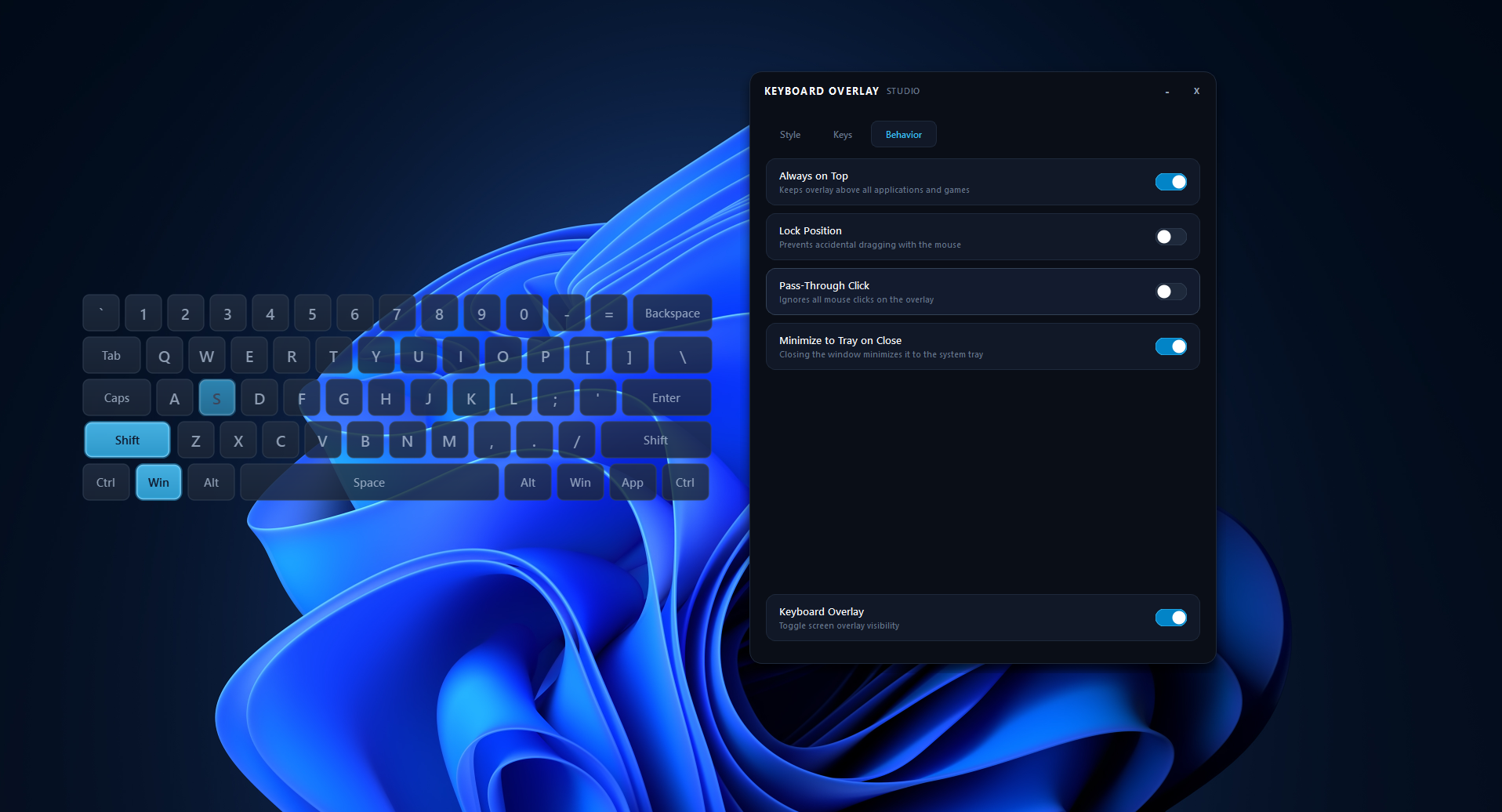
- Always-on-Top Floating HUD: Pin the transparent keyboard window permanently above full-screen borderless games, OBS previews, or creative software.
- Position Lock: Lock the overlay position on screen to eliminate accidental mouse dragging during high-intensity gaming sessions.
- Pass-Through Click Mode: Toggles native Win32 window layer transparency (
WS_EX_TRANSPARENT), allowing mouse clicks to register directly with underlying applications without losing key tracking. - Minimize on Close: Closing the main control dashboard minimizes the app directly to the system tray while keeping the screen overlay active.
5. Control Dashboard & Tray System (Settings & Utilities)
Modern dark-themed GUI designed for speed and simplicity:
- Custom Dark Interface: Custom title bar with draggable header, vector toggle switches (
Switchcontrols with smooth animations), and organized tabbed control panels (Style, Keys, Behavior). - Master Overlay Switch: Dedicated master toggle switch at the bottom of the UI to enable or disable screen visibility instantly.
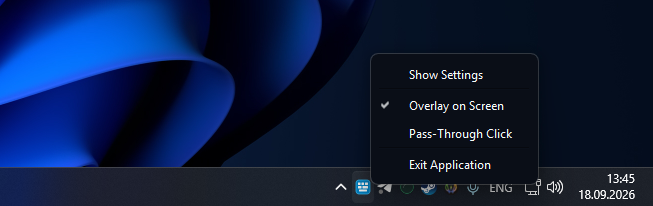
- System Tray Integration: Custom-drawn dynamic system tray icon with a quick-access context menu to:
- Open settings window.
- Toggle screen overlay on/off.
- Toggle click-through mode on the fly.
- Exit the application cleanly.
Technical Specifications & Compatibility
- Supported Operating Systems: Windows 10 / 11 (64-bit).
- Display Modes: Works over any game or application running in Windowed, Borderless Fullscreen, or Desktop mode.
- Broadcast Software Compatibility: Fully compatible with OBS Studio, Streamlabs Desktop, Twitch Studio, Discord Screen Share, and XSplit.
- Dependencies: Self-contained executable built on PyQt6 vector rendering engine and pynput input hooks.
Package Contents
- Executable file:
Keyboard Overlay Studio.exe - Presets Directory:
/presets(Stores custom user JSON profiles)
Purchase
In order to download this tool you must purchase it at or above the minimum price of $1 USD. You will get access to the following files:
Download demo
Leave a comment
Log in with itch.io to leave a comment.