Godot Grid Shader
A downloadable asset pack
Godot Grid Shader
1. Primary Color (tint_primary)
- Type: Color
- Default Value: Light Gray (
#E6E6E6or RGB0.9, 0.9, 0.9)
Determines the color of the first half of the checkerboard grid cells.
- Practical Application: This color acts as the background for the grid. When prototyping levels, it is recommended to choose neutral, unsaturated tones (like gray or light beige). This helps you better perceive object volume, light direction, and shadows within the Godot editor.
- Setup Tip: Avoid making this color too bright or absolute white, as it can strain your eyes during long level design sessions.
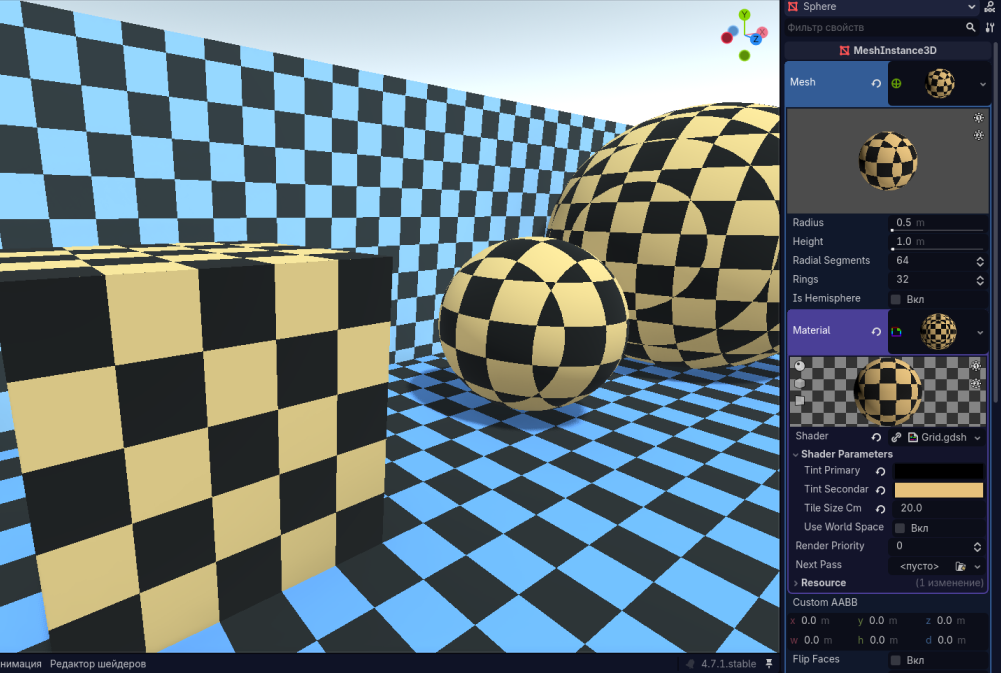
2. Secondary Color (tint_secondary)
- Type: Color
- Default Value: Light Gray-Blue (
#C0C7D9or RGB0.75, 0.78, 0.85)
Determines the color of the second half of the cells, which alternate with the primary color in a checkerboard pattern.
- Practical Application: The contrast between the primary and secondary colors creates the grid pattern, which helps in estimating distances in 3D space and maintaining object proportions.
- Setup Tip: To work comfortably, choose colors that are close in tone. Extremely high contrast (like pure black and pure white) quickly causes eye fatigue. A soft contrast (such as gray combined with a muted blue) looks professional and allows for comfortable work over long periods.
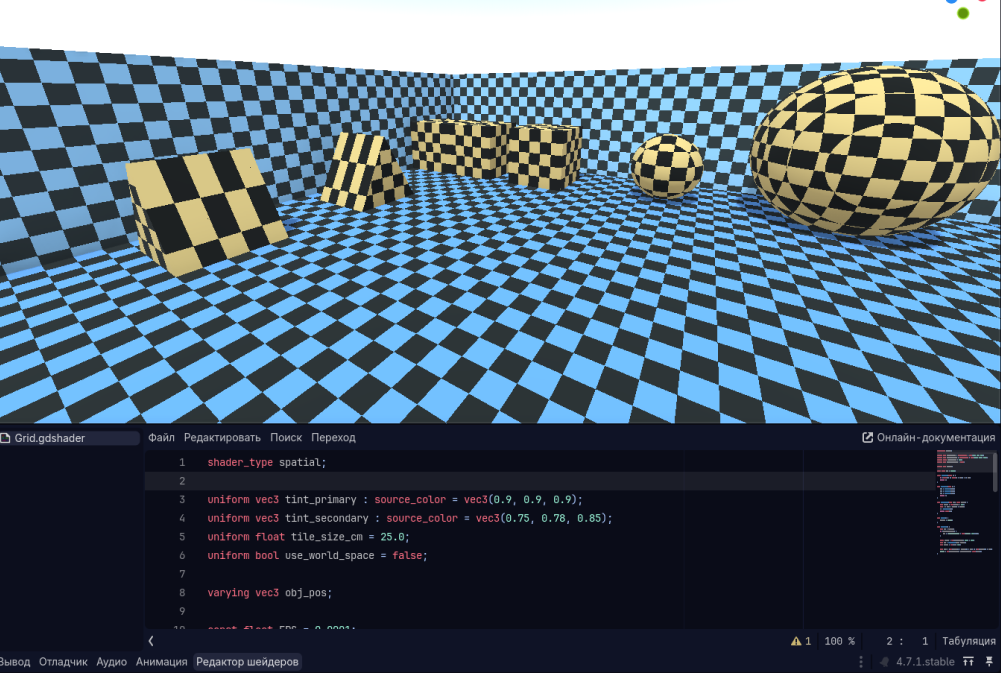
3. Tile Size (tile_size_cm)
- Type: Float
- Default Value:
25.0
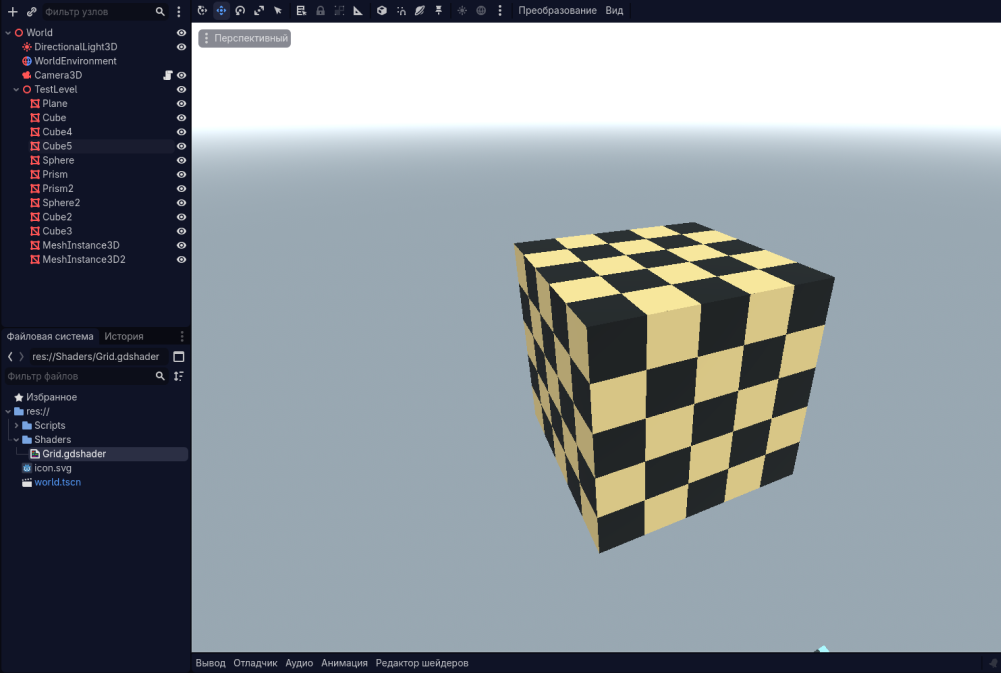
Sets the physical size of a single grid cell. The value is specified in centimeters. Since the standard unit of measurement in Godot is 1 meter, you can easily match the grid size with the dimensions of in-game objects.
- Scaling Examples:
- 25.0 (25 cm): Exactly 4 cells will fit along one side of a standard 1x1x1 meter Godot cube. This is excellent for detailed work on small objects or checking character scale.
- 50.0 (50 cm): Exactly 2 cells per side will fit on a 1-meter cube. Convenient for designing interiors and furniture.
- 100.0 (1 meter / 100 cm): Each cell will be exactly 1x1 meter. Ideal for quickly blocking out large areas, roads, building walls, and large platforms.
- Safety Guard: The shader includes built-in safety protection. Even if you accidentally set the value to
0or a negative number, the cell size will automatically lock to a minimum of0.01cm. This prevents visual glitches and GPU freezes that might occur when trying to render infinitely small grids.
4. Use World Space (use_world_space)
- Type: Boolean (bool)
- Default Value: Disabled (
false)
Toggles the coordinate system used to calculate the grid's position on the object. Two modes are available:
- "Local Space" Mode (Disabled /
false):- Visual Behavior: The grid is firmly locked to the object itself.
- Object Behavior: If you move, rotate, or scale (stretch) the object in the scene, the grid will move, rotate, and stretch right along with it.
- When to Use: Perfect for isolated static or dynamic objects that should look identical regardless of where they are placed in the scene (such as crates, barrels, individual props, or platforms).
- "World Space" Mode (Enabled /
true):- Visual Behavior: The grid is locked to the global coordinate system of the game world.
- Object Behavior: When you move the object, it appears to "slide through" the grid, while the checkerboard pattern remains stationary in space. If you snap two different objects together, the grid on their seam will align perfectly.
- When to Use: An indispensable tool for level design blockouts and greyboxing. You can use blocks of different sizes, stretch them, and snap walls and floors together—the grid across all seams will align seamlessly, helping you instantly visualize the true scale of your game space and prevent geometric misalignments.
Download
Comments
Log in with itch.io to leave a comment.
Are there any licensing requirements for using this?
Everything is free to use for any purpose, sorry for not specifying the license.
Thanks! I just wanted to make sure. It's a really nice shader.