Merlin Image Cropper
A downloadable tool for Windows
Merlin Image Crop is a Windows-based desktop application built using C# for the x86 architecture. It provides a specialized environment for manual image cropping and basic color adjustments. The software is designed for users who require a focused tool for preparing images without the overhead of a full-scale graphic editor.
Key Features
Manual Area Selection
- Mouse-Driven Cropping: Users can define the crop area by dragging the cursor over the image.
- Rectangle Selection: The application captures the coordinates and dimensions of the selected rectangular area for precise extraction.
- Instant Preview: Visual feedback is provided during the selection process to ensure accuracy before saving.
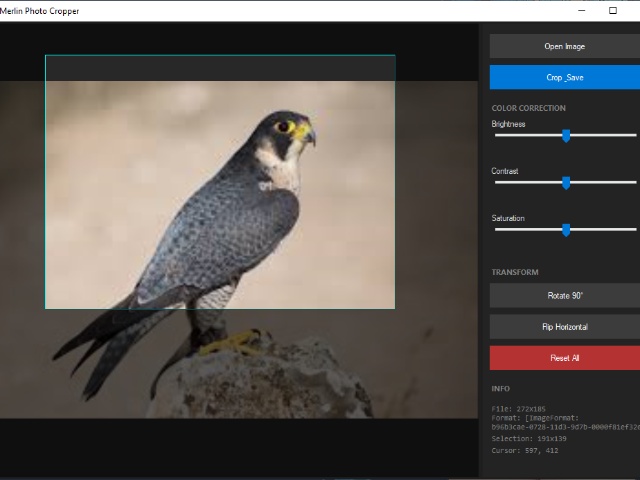
Image Adjustment Suite
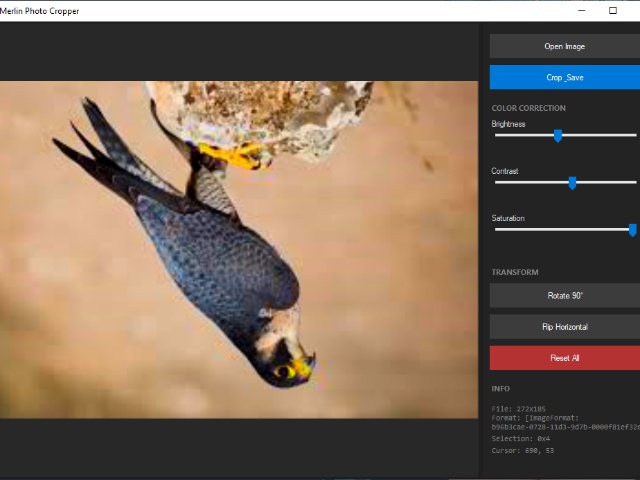
The program includes integrated controls for modifying the visual properties of the loaded photograph:
- Brightness: Adjusts the overall light level of the image.
- Contrast: Modifies the difference between the light and dark areas.
- Saturation: Controls the intensity and purity of the colors.
Export and Saving
- File Output: Supports saving the processed image to the local file system.
- Quality Retention: Processes crops and adjustments while maintaining the original image's aspect ratio or user-defined boundaries.
Technical Specifications
- Language: C#
- Platform: Windows (x86)
- Design Philosophy: Minimalist UI with a focus on ease of navigation and tool accessibility.
- Architecture: 32-bit executable (compatible with both 32-bit and 64-bit Windows environments).
- Executable Size: Approximately 80 KB.
System Requirements
Minimum Requirements
- Operating System: Windows 7, 8, 10, or 11.
- Processor: Intel or AMD x86-compatible CPU (1.0 GHz or faster).
- RAM: 128 MB.
- Storage: Less than 1 MB available disk space.
- Software: .NET Runtime (matching the version used during development).
Recommended Requirements
- RAM: 256 MB or higher (for handling high-resolution photographs).
- Graphics: Standard VGA or better with updated drivers for correct UI rendering.
Usage Workflow
- Load: Import a photo into the workspace.
- Adjust: Use the sliders to calibrate brightness, contrast, and saturation.
- Select: Click and drag the mouse to define the crop area.
- Save: Export the final result to the desired folder.
Purchase
In order to download this tool you must purchase it at or above the minimum price of $5 USD. You will get access to the following files: